
Version 4.34
Features
Remote file sync with FilesFrom* commands
The ability to automatically detect new or modified files in a remote file repository and process them is now available as a new series of flow pipeline ccommands.
New or updated files in a remote file repository are retrieved with one batch created and processed per file (grouped in batch preview as a “flow” of batches). Previously processed files are flagged as unchanged and not re-processed. By scheduling such a flow pipeline you can effectively “synchronize” with a remote folder, even if the remote folder has hundreds or thousands of files.
To do this, use one of the new “FilesFrom*“ commands:
- FilesFromFtp: synchronize from a remote FTP or SFTP folder.
- FilesFromZip: not necessarily a remote repository, but behaves the same way
- planned for future: FilesFromSharePoint, sync files from SharePoint or OneDrive
- planned for future: FilesFromLake, sync files from a data lake
IMAGE HERE
For more information:
Enhancements
Documentation
Improved documentation search
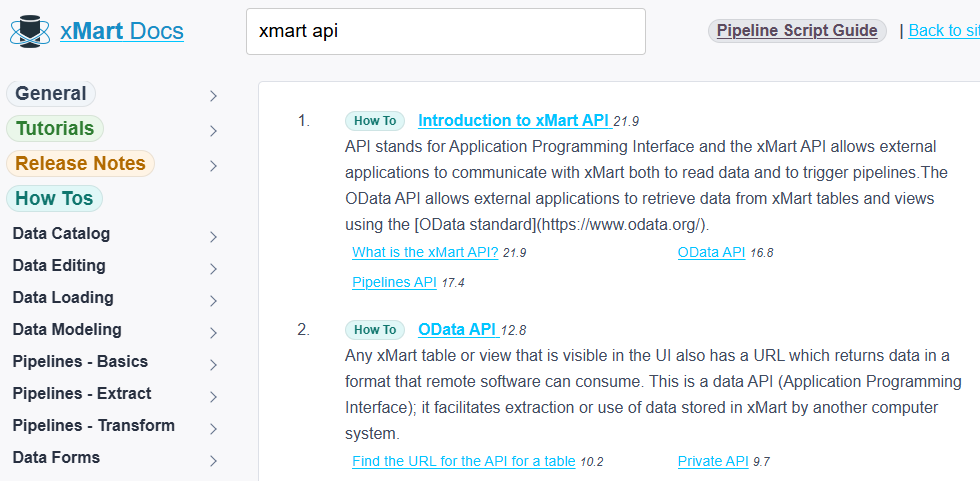
xMart documentation can now be freetext searched. This search covers all tutorials, how-to articles, release notes and the pipeline script guide (pipeline command reference).
Data view
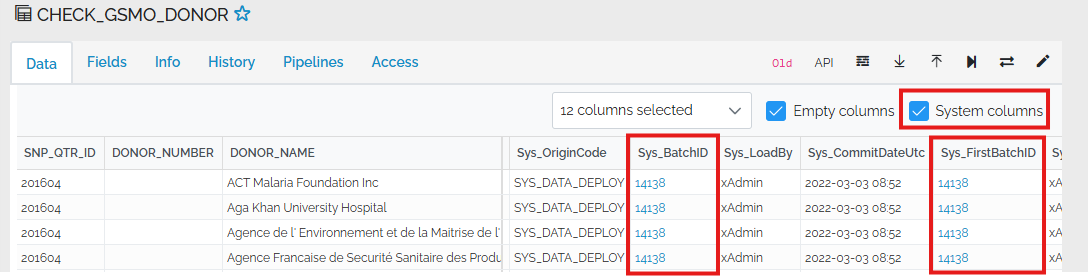
Clickable Sys_BatchID and Sys_FirstBatchID values
When viewing a table or view, if the system columns are visible, batch ID values can be clicked to open the batch.
Filter on multiple fields but apply later
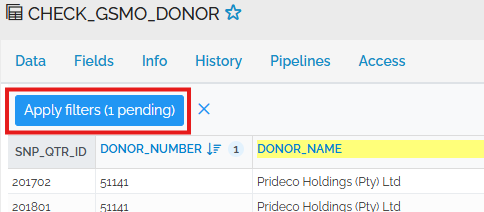
If it takes a long time to filter your huge table or slow custom view and you want to filter on multiple columns, you can use the “Apply Later” button in the column header popup.

After defining muliple filters, you can apply them all at once:
Security
Assign permissions directly to users
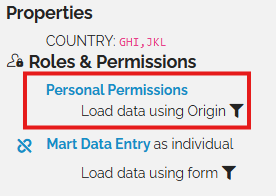
Permissions can optionally be assigned directly to a user rather than a role (group of users). This can help reduce the number of roles in a mart.
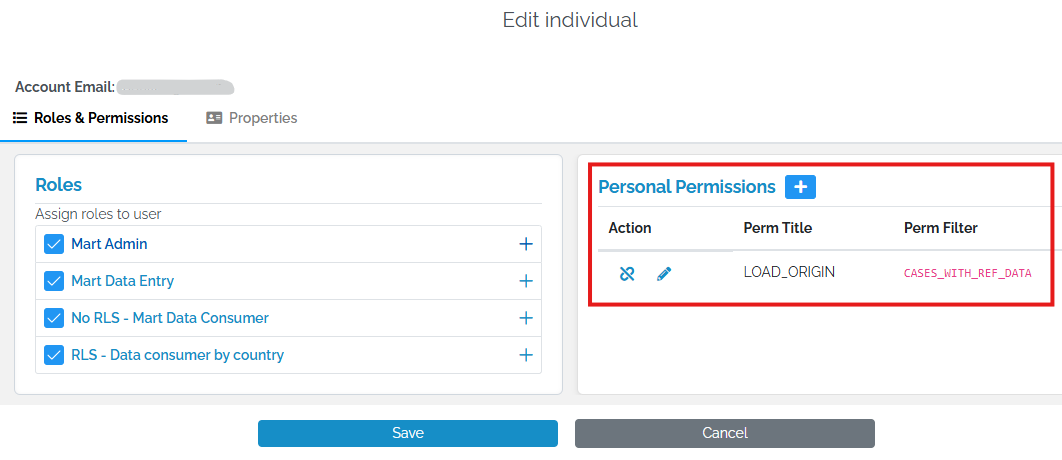
“Personal Permissions” are displayed in the right panel above a user’s roles:
For more information, see the article on adding users.
UI to add service account user
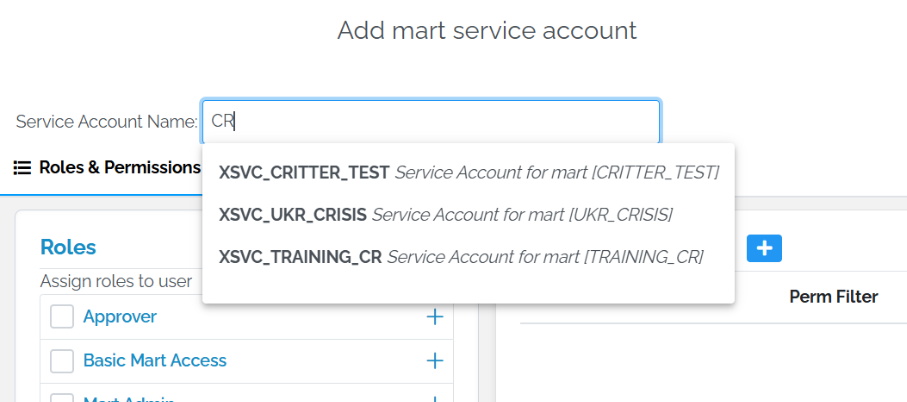
It’s easier to give permission to a mart service account (ie allow another mart to pull data from your mart). The mart service account can be selected from a dropdown rather than entered as freetext.
This is described in the add mart service account section of the add users article.
Data Model
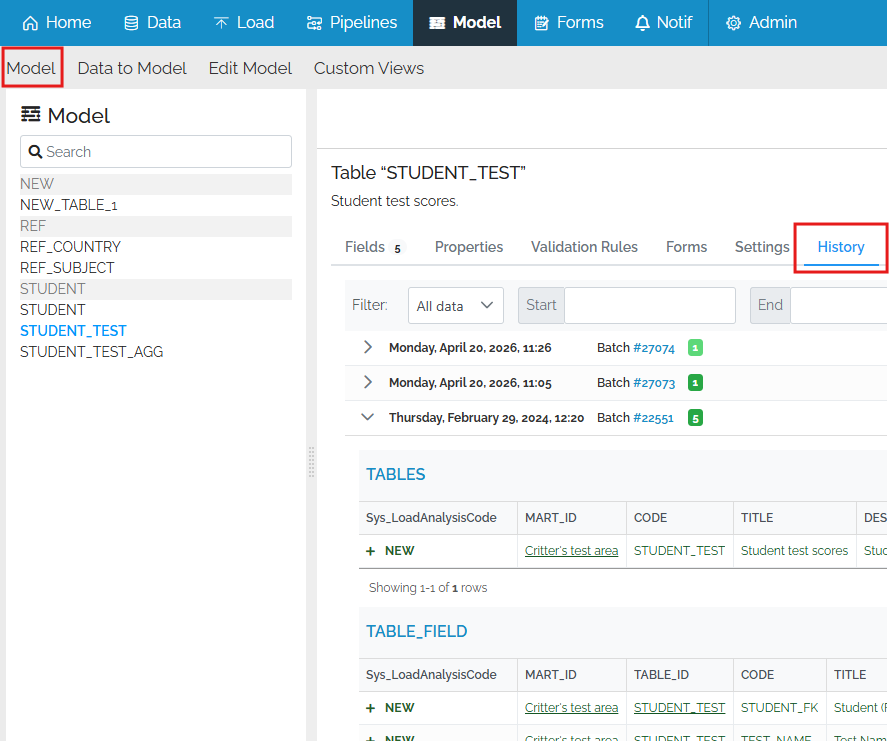
Model page history tab
A History tab has been added for each table in the Data Model area, similar to the History tab of a data view, so you can see the history of structure changes of a table.
Mart objects as source for Data to Model
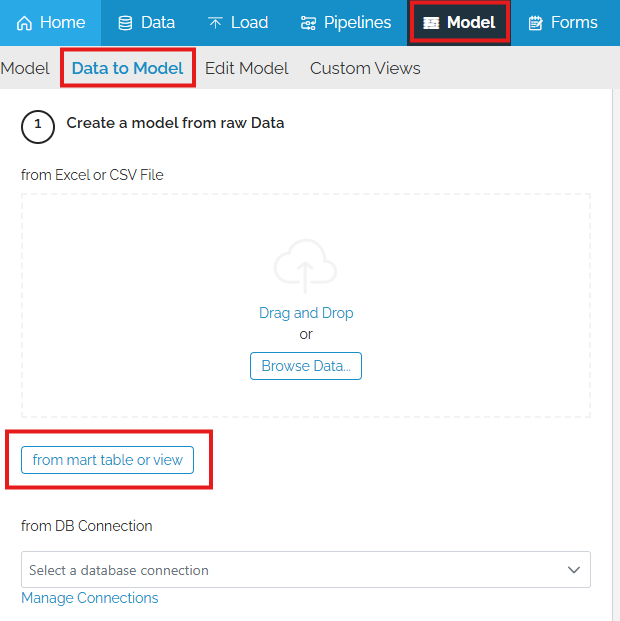
The Data to Model feature, which proposes a table and field definitions based on raw data, now supports mart tables or views as raw data. This is useful if you would like to correct or improve the data types of the fields in your mart. The Data to Model feature takes raw data, analyzes the values in each column and guesses the appropriate data type. For example, a TEXT_4000 column which only has INTEGER values will have a new datatype of INTEGER proposed.
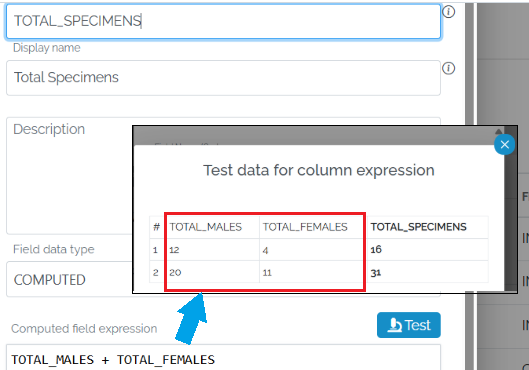
Improved COMPUTED expression Test UI
The UI for testing a COMPUTED expression has been improved by including the fields which are used in the expression.
Hide irrelevant edit field settings
The Edit Model UI feature has been further improved by hiding irrelevant settings depending upon the data type. For example, the TEXT_400, TEXT_MAX and XML data types can’t be used as primary keys or row titles, so these settings are not available in the UI when editing fields using these data types.
Pipelines
JOIN to mart table
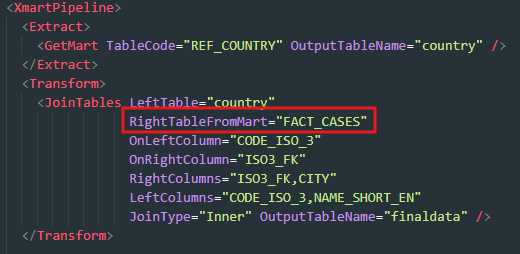
The JoinTables transform command has a new property RightTableFromMart to be used as an alternative to the RightTable property if the table to join is not already in the context of the pipeline but exists in the mart. This new ability is useful when the “right” table of the join is so large that it’s not possible to load the right table into pipeline memory and then do the join.
By joining directly to a mart table, only the records which match values in the “left” table will be retrieved, rather than all of them. The new feature also means you don’t need to use GetMart to retrieve the “right” table.
SFTP (SSH File Transfer) support
The ability to retrieve data from SFTP file repositories is available. SFTP = Secure FTP = SSH File Transfer Protocol. This allows xMart to retrieve data from data provides such as the eDamis system hosted by eurostat.
Other Changes
- #6464 Default sort FK fields alphabetically in standard form
- #6430 Large numbers of illegal $format values reaching on-prem API
- #6411 Computed Field Concrete Type Discovery
- #6437 Batch preview - better pagination options
- #6473 Extract list of field names during SQL validation
- #6490 Batch Preview Jumps to Issues
- #6518 Parent Sys_ID not being added to Subform
- #6508 Form IN statement doesn’t support spaces in user properties values
- #6429 Non critical ODataExceptions in the event viewer
- #6426 TEXT_MAX popup viewer visual offset between visible and selected text
- #6443 Large numbers of LOG_BATCH_UNIQUE_STOP unique key constraint exceptions
- #6484 Get Mart attribute change in pipeline examples
- #6511 Data edit. Add record clears grid