Security Overview
In xMart, users can be restricted to what then can see or do. Permissions can either be assigned using Roles which are groups of users or can be assigned to individual users. This article shows different examples of security at table level and at record level using Row Level Security
- Restrict which tables a user can see
- Add users to multiple roles
- Roles with no filter
- Assign Permissions with no filter directly to Users
- Assign Permissions with a filter directly to Users
- Row Level Security
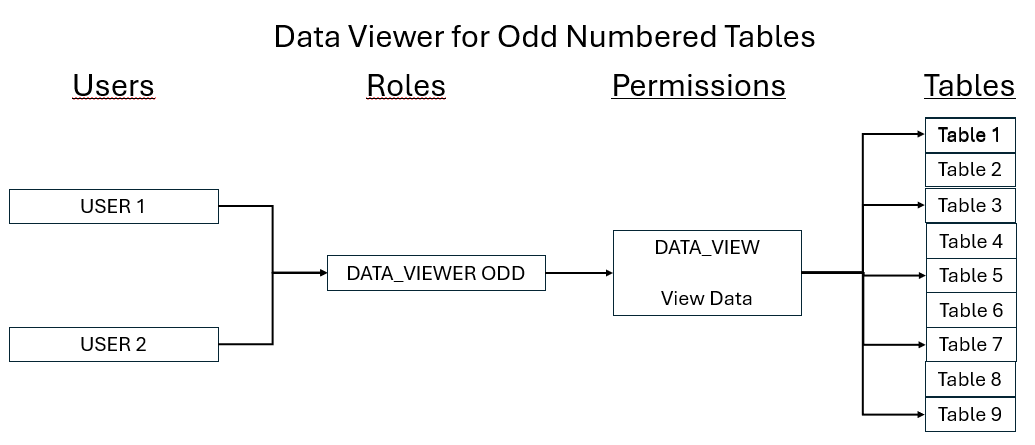
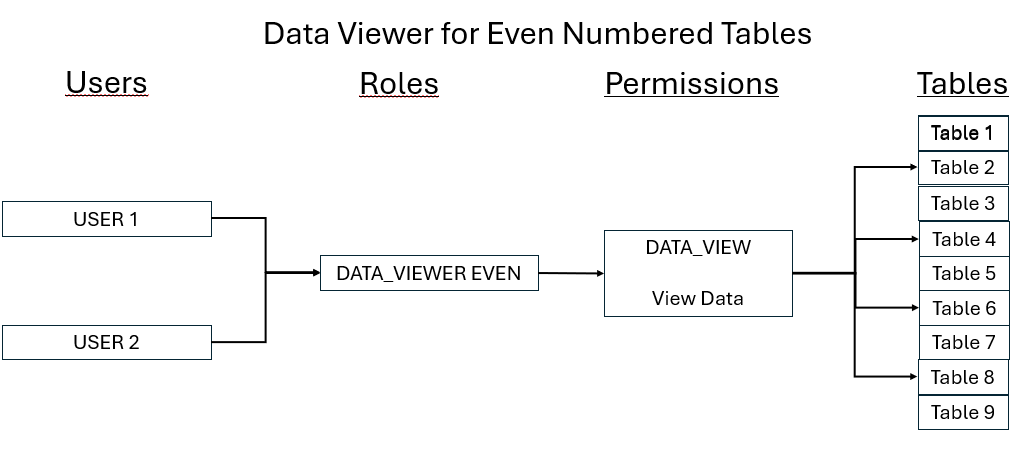
Allow a user to look at a subset of tables
When creating roles, it is possible to add a permission to a role and then assign users to the roles.
Add users to roles to multiple roles
In the previous section, we created two roles; DATA_VIEWER_ODD (which could see all of the odd numbered tables) and DATA_VIEWER_EVEN (which could see all of the even numbered tables). If a user was added to both groups, they would be able to see all of the tables.
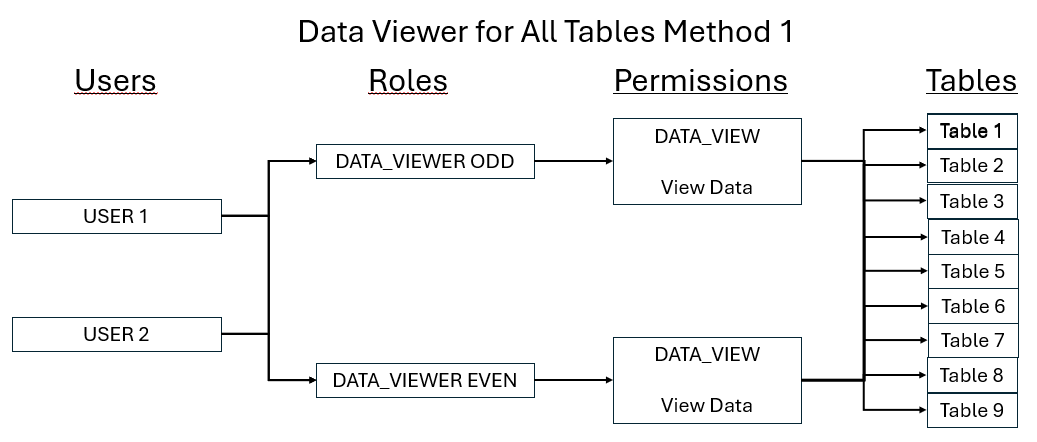
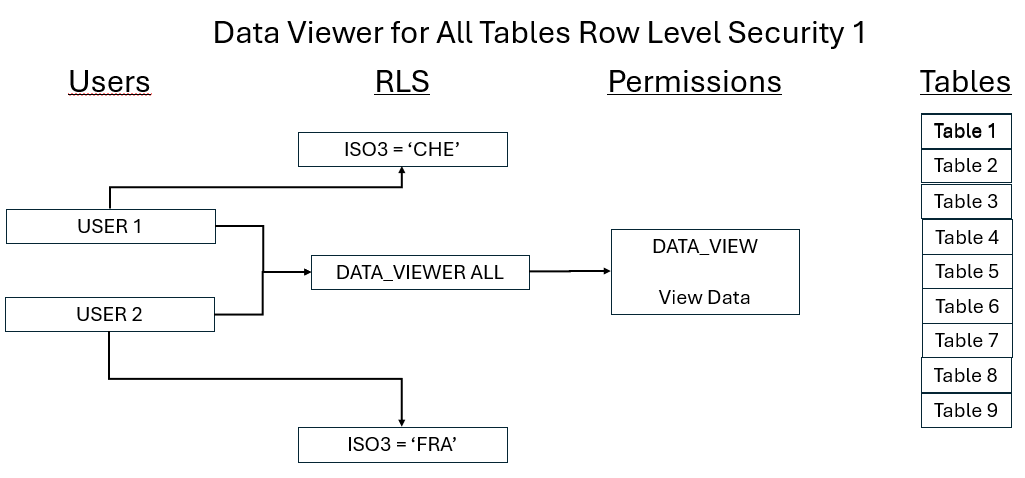
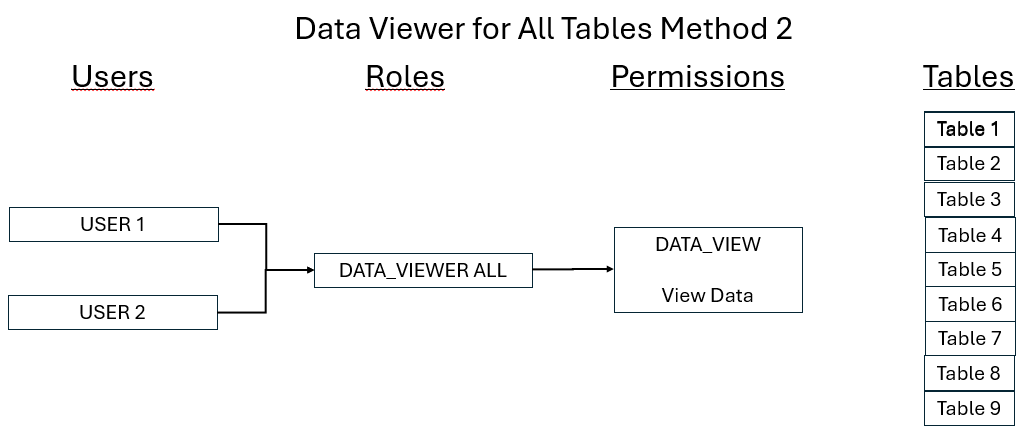
Create a new DATA_VIEWER_ALL role with no filter
If no filter is addded to the DATA_VIEW permission, all tables are available so the users. This works if the permissions are assigned via a role
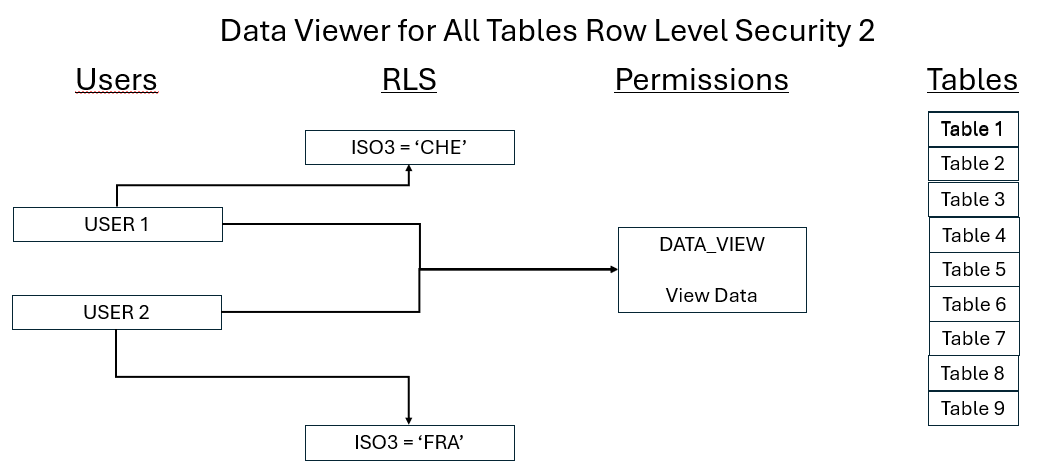
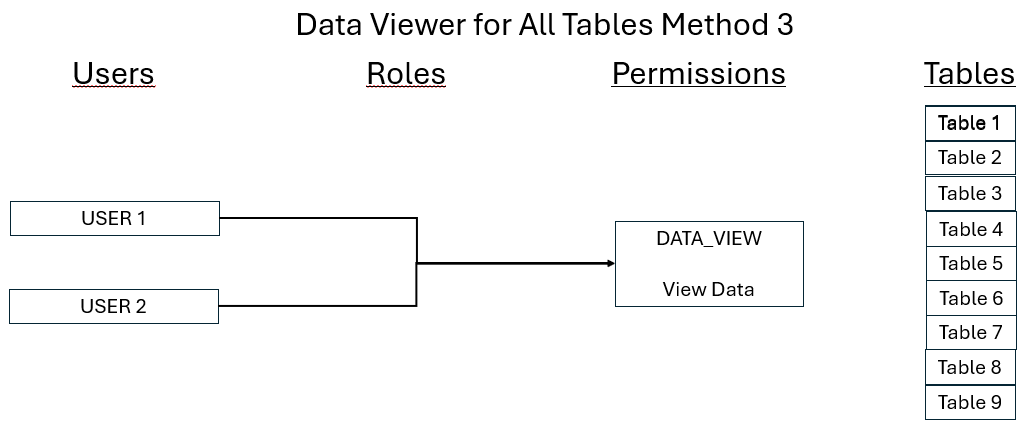
Assign Permissions with no filter directly to Users
As stated above, if no filter is addded to the DATA_VIEW permission, all tables are available so the users. This works if the permissions are assigned directly to the user.
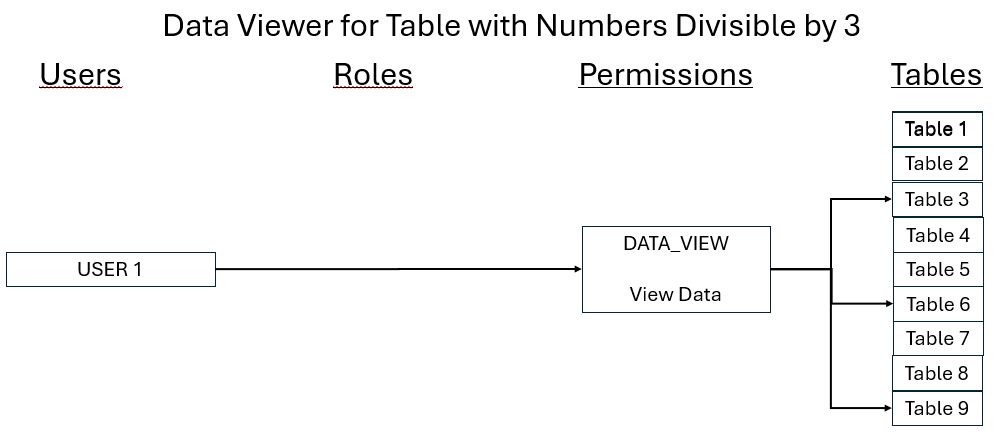
Assign Permissions with a filter directly to Users
If one user needs to see some of the tables and there is no role, either you can create a new role or you can assign filtered permissions directly to them.
Row Level Security
At a table level, users can be restricted to what they can see and load using Row Level Security. USER 1 can only see and change Switzerland data and USER 2 can only see and change France data.
This is always done at the user level no matter how the permissions are assigned to the user